Summary
Introduction to One45
One45, by Acuity Insights, is a web-based system used by CDU College of Medicine students to provide and receive feedback, log patient encounters, check course enrollment/completion, receive grades, and review MSPE/Dean’s Letter Comments, among other things.
Feedback: Students are expected to provide meaningful feedback through Course Evaluations, Faculty Evaluations, Peer-Assessments, Self-Assessments, and Surveys via One45. When students are asked to provide feedback, they will receive a new item in the Forms to Complete section of their To-Dos List. When students receive feedback, they will have a new result in the Results section of their To-Dos List. Students receive notifications and reminders to their CDU COM email address for any new/outstanding To-Dos List tasks. To learn more about your One45 To-Dos List, reference the FAQs section in the left menu.
Clinical Log: During their third year, students must log patient encounters via their Pt/Procedure Log in One45. Further details on the requirements and steps to complete log entries will be provided during the Transition to Application Phase (TAP) course.
Course/Rotation Scheduling: During the third and fourth years, One45’s scheduling algorithm may determine students’ course order and/or courses. In One45, students may provide either their course order preferences (in their third year, commonly referred to as a stream lottery) or their course and block preferences (in their fourth year, commonly referred to as a rotation lottery). Manual scheduling is also done in One45 by OMSE as needed.
Degree Progression: As students progress through CDU COM’s curriculum, One45 tracks the courses they have taken that count towards students’ MD degree. To review degree progression in One45, reference the My Rotations or My Courses tab.
Grades/MSPE Comments: Final grades and MSPE/Dean’s Letter Comments (if applicable) are stored in One45. Final grades serve as a record of course completion and are used when creating students’ MSPEs. Dean’s Letter Comments are used verbatim on students’ MSPE. To review grades and MSPE comments in One45, click the Grades tab.
Additional use cases of One45 may be introduced to students as necessary.
One45 Frequently Asked Questions
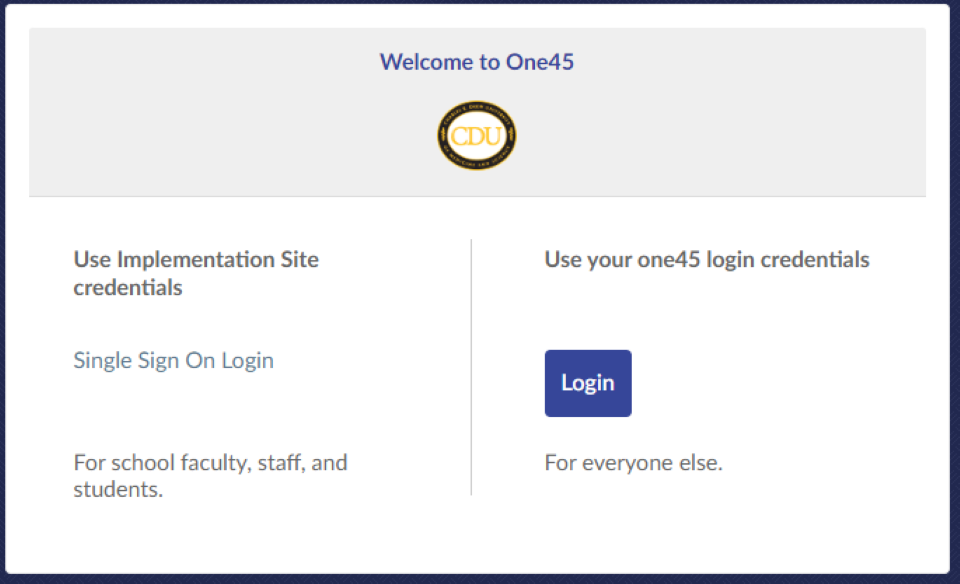
To Access One455, navigate to https://cdrewu.one45.com in your preferred web browser or follow the link in the One45 email notification you receive once your account has been created. One45 is also linked to HelloId as an SSO icon for internal use only.
Use your CDU SSO login credentials to log into One45 (unless otherwise directed, typically external users). Click the Single Sign-On Login link.
If you are on a Leave of Absence (LOA) or not actively enrolled in courses, you may lose access to One45. Please contact IT-Helpdesk at helpdesk@cdrewu.edu or call 1-800-CDU-HELP.
The To-Dos List contains tasks, such as forms to complete, forms to send/distribute, or results to review. To-Dos List sections appear and disappear depending on your to-do tasks. For example, if you have no ‘Results’ remaining to review, then the section disappears. All ToDos have a due date that appears only when the task is due in 30 or fewer days (gold text).
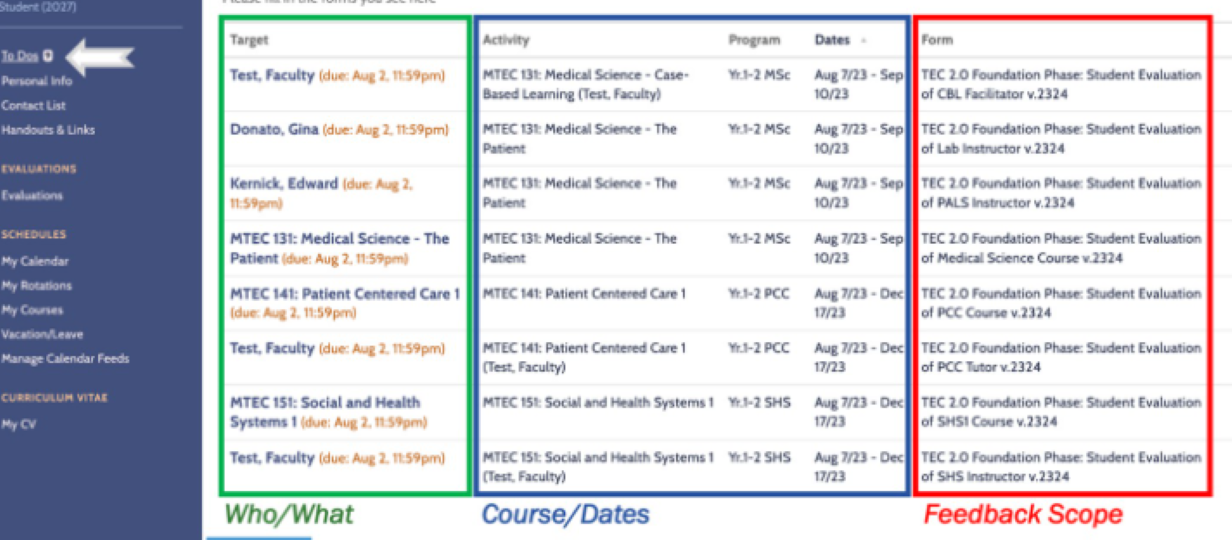
The Forms to Complete section can be broken down into who/what the form is directed at (the Target of the feedback), the course/dates (the Activity, Program, and Dates the feedback should be focused on), and the scope of the feedback (commonly communicated via the Form name). Click on the Target to access the form. If you believe you received a form in error or have questions regarding the form, click the Contact listed for the To-Do item to email the party responsible for the form.
The Results section provides you with feedback collected in One45 from faculty or peers. The Evaluator is the person who provides you feedback. The Activity, Program, and Dates are what the feedback is focused on. The Form name is the scope of the feedback. Please click on the Evaluator, review their feedback, and confirm that you have reviewed it at the bottom of the form. This removes the result from your One45 To Dos List, but you can still review the feedback again in the Evaluations tab of your One45 account.
Tip: Keep your To Dos List clear (at 0 tasks) by completing forms and reviewing results often!
Yes, for every new task in your One45 to Dos List, you will receive an email from no-reply@one45.com. The email subject will read “CDU COM – New … in One45”. The email will contain a one-time click link to access the task directly; note this link only works once. To re-access the task, simply log in to your One45 account using your CDU SSO login credentials or (other login credentials).
One45 will also send you reminder emails every Monday and Thursday morning for any outstanding To-Dos List item (excluding results). You may receive multiple reminder emails if you have outstanding tasks for more than one course. Reminder emails do not contain a one-time click link but do include the link to One45.
Emails from One45 are text-based and look very generic. They are not spam/phishing emails so please do not delete or report them.
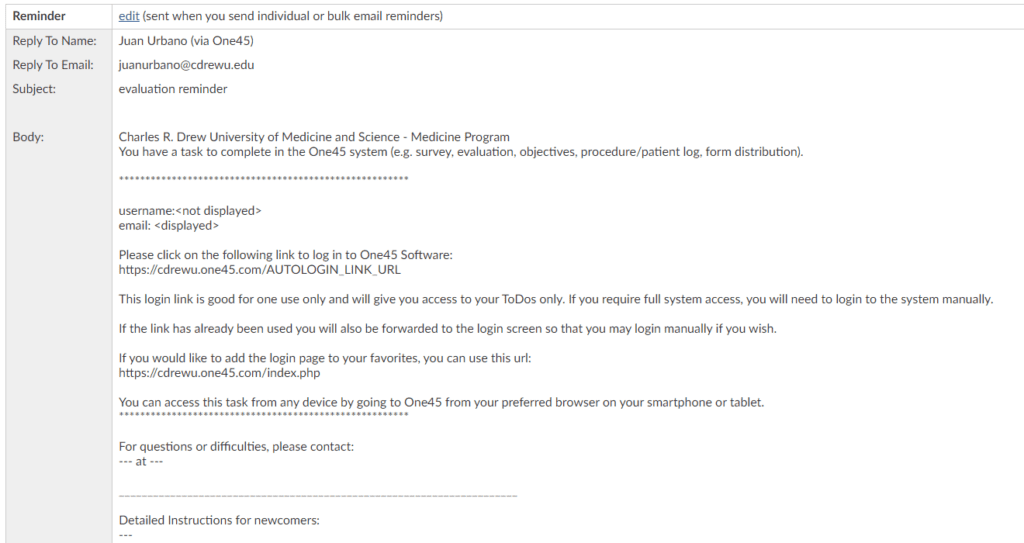
To access the evaluation/assessment, click on the one-time use link in the email notification you received, or log into One45 and click the Target of the form in your To Dos List. Then, fill out the form (note that questions with an * are required) and click Submit at the bottom of the form.
If you need to finish completing the form later, click Save at the bottom of the form to save your progress. Make sure to finish completing the form and submit it before the due date!
Yes, by clicking the Evaluations tab in your One45 account. Once there, take note of the pre-selected filters; these might need to be adjusted to display the evaluations you are looking for. By default, One45 only shows your evaluation feedback for the last 6 months. If you want to review feedback you received outside of that date range, adjust the from and/or to dates, then click Submit to update the results (the page will flash upon reload). Next, click “BY ME” (feedback you provided) to review the forms you previously completed. Last, click the Target of the feedback (a name or course) to review the completed form. The form usually opens a new browser tab of One45 or a pop-up window.
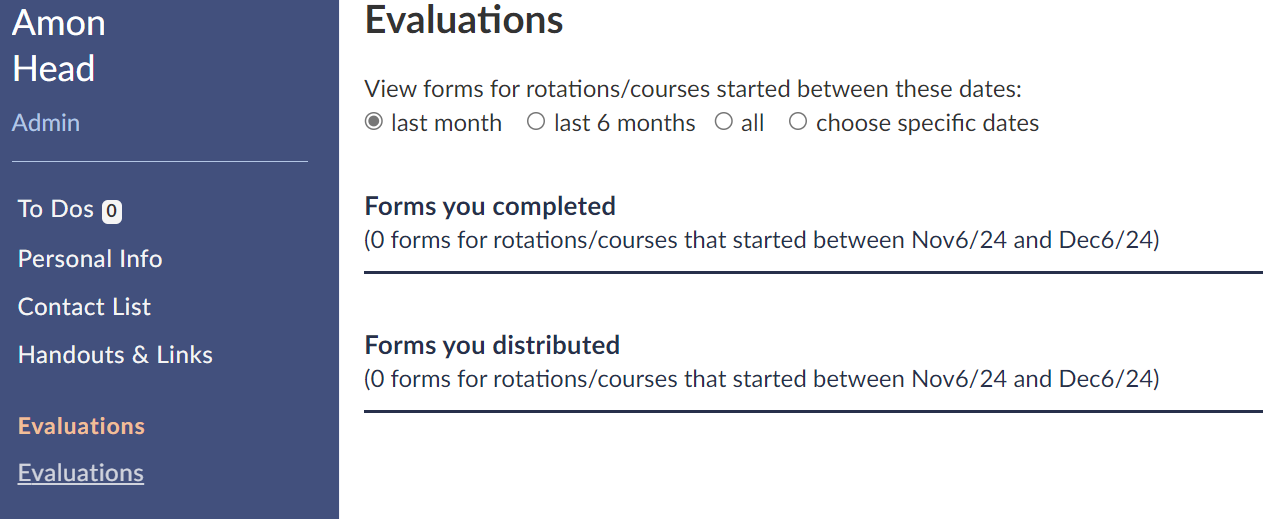
Click the Evaluations tab in your One45 account. Once there, take note of the pre-selected filters; these might need to be adjusted to display the evaluations you are looking for. By default, One45 only shows your evaluation feedback for the last 6 months. If you want to review feedback you received outside of that date range, adjust the from and/or to dates, then click Submit to update the results (the page will flash upon reload). Next, click “OF ME” (feedback on you) to review the feedback provided to you by faculty/peers. Last, click the Evaluator of the feedback (a name) to review the completed form. The form usually opens a new browser tab of One45 or a pop-up window.
In your One45 account, click either the My Rotations or My Courses tab to review previous course history and future courses you are scheduled to take.
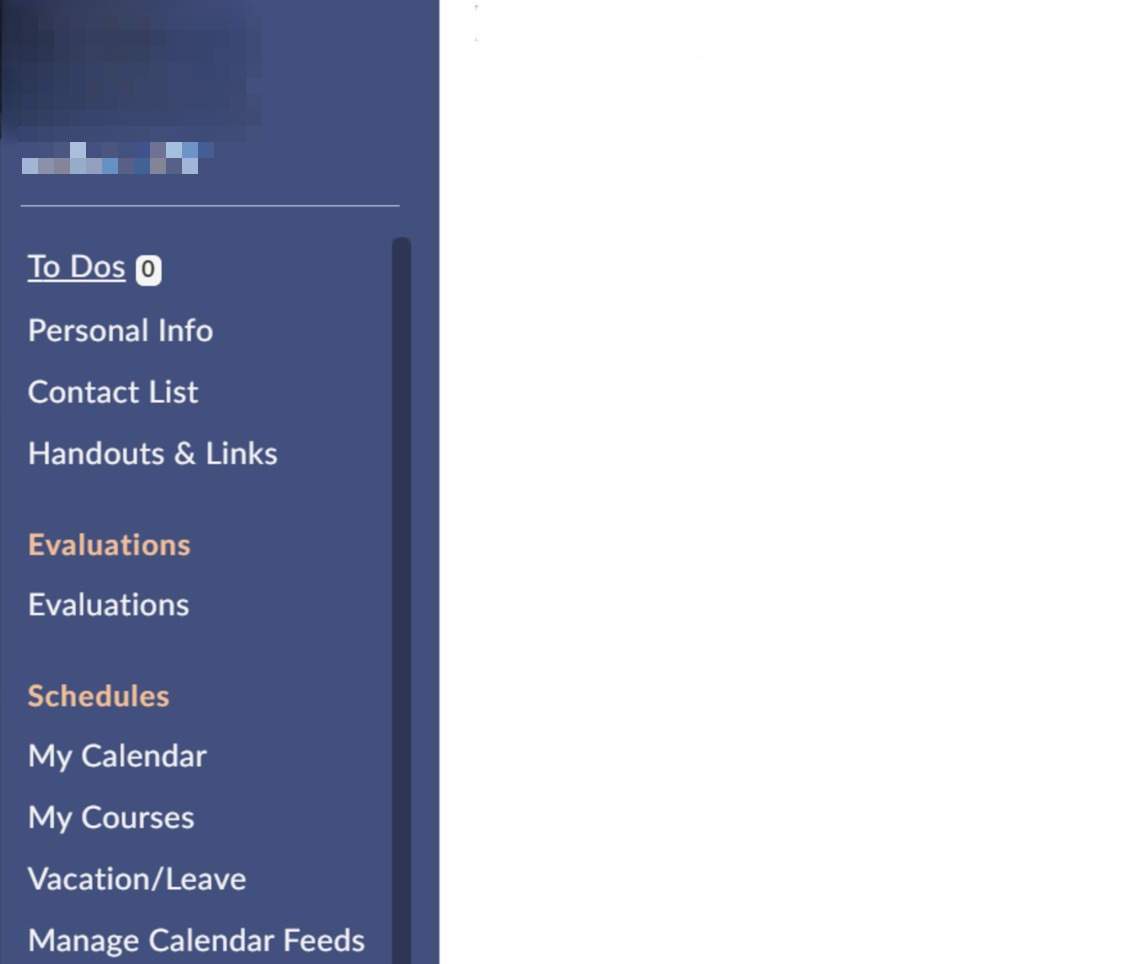
Note: Only courses that count towards your MD Degree will appear in One45. If you notice errors, please reference the Support tab on this page.
In your One45 account, click the Grades tab to review course grades and MSPE/Dean’s Letter Comments. If you are unable to see any Grades or MSPE/Dean’s Letter Comments, they have not been entered or released by the course coordinator(s). If you notice errors, please reference the Support tab on this page.
If you experience issues completing evaluations/assessments, reviewing results/grades/MSPE comments, or finding faculty in One45, please click the Contact name for the relevant To Dos List task to email the contact for the form, or email the relevant curriculum phase (listed below) for assistance.
Foundation Phase: Arthur Gomez – Arthurgomez@cdrewu.edu
Application Phase: Dr. Keosha Partlow – Keoshapartlow@cdrewu.edu
Individualization Phase: Shanika Boyce – Shanikaboyce@cdrewu.edu
If you notice that courses listed in your My Rotations tab in One45 are inaccurate, please contact the COM Registrars team at Registrar registrar@cdrewu.edu for assistance.
For additional support, including access to One45, please Click Here, and search “One45”. Click the first search result, “COM—Student Systems,” to request support using One45.